Axiom is available in the ChatGPT plugin store, so you can connect it in a couple of minutes without leaving ChatGPT. Once connected, ChatGPT hands its checkouts to Axiom. Axiom pays the store with a one-time card made for that order, within the limits you set, then charges your card.
What you'll need
- A ChatGPT account
- A couple of minutes. You can create your Axiom account while you connect
Step 1: Find Axiom in the ChatGPT plugin store
Open Axiom's plugin page directly, or browse the plugin directory in ChatGPT (or just ask ChatGPT for Axiom). Select Axiom and choose Connect.
ChatGPT sends you to Axiom to connect the two accounts.
Step 2: Sign in or create your account
If you already have an Axiom account, sign in. If you're new, create your account right there; email or Google both work.
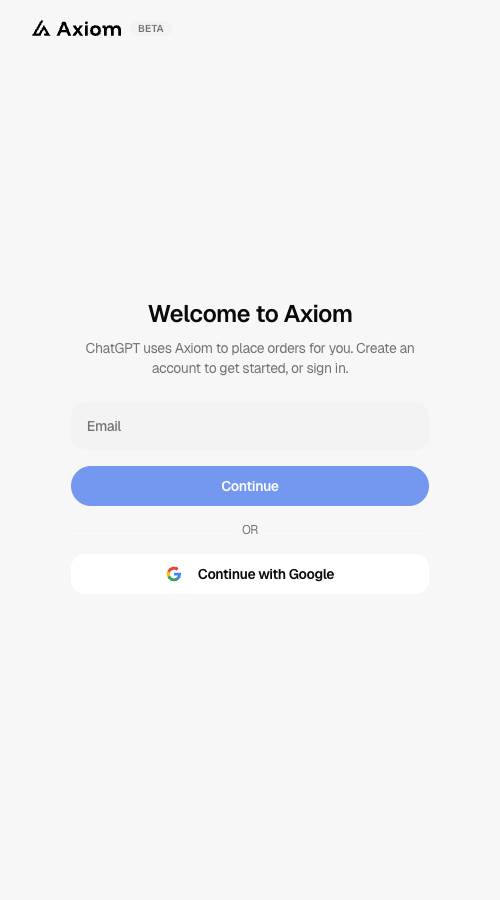
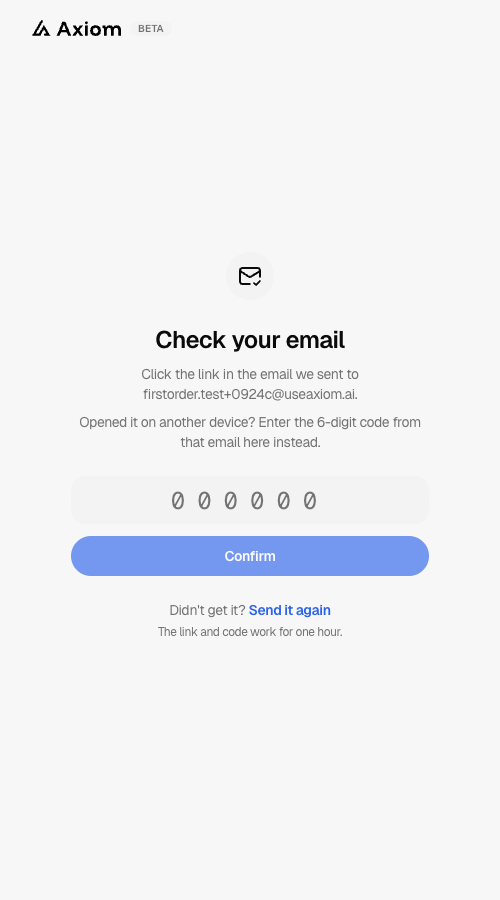
With email, Axiom sends you a confirmation link and a 6-digit code. Click the link, or enter the code if you opened the email on another device. You're signed in automatically and continue where you left off.
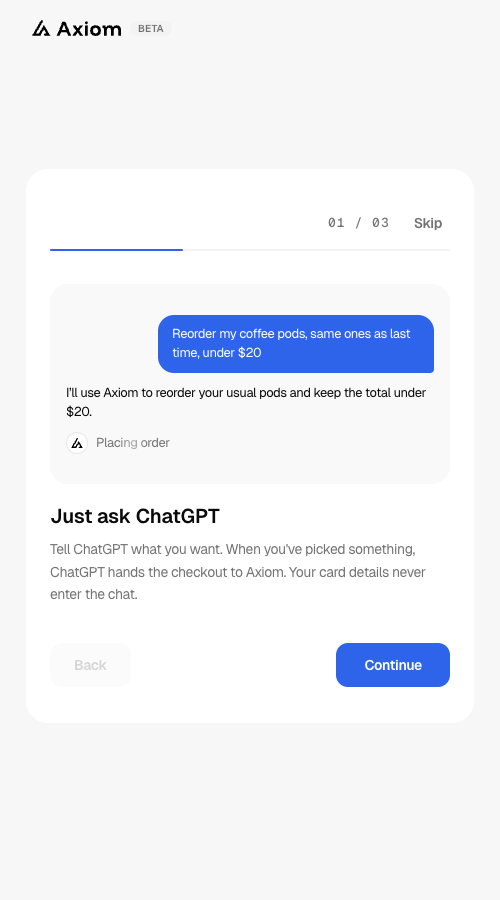
New users get a quick tour: three short screens on how it works. Tell ChatGPT what you want, Axiom completes the checkout with a one-time card, and you stay in control with a spending limit and approvals.
Step 3: Add a card and address
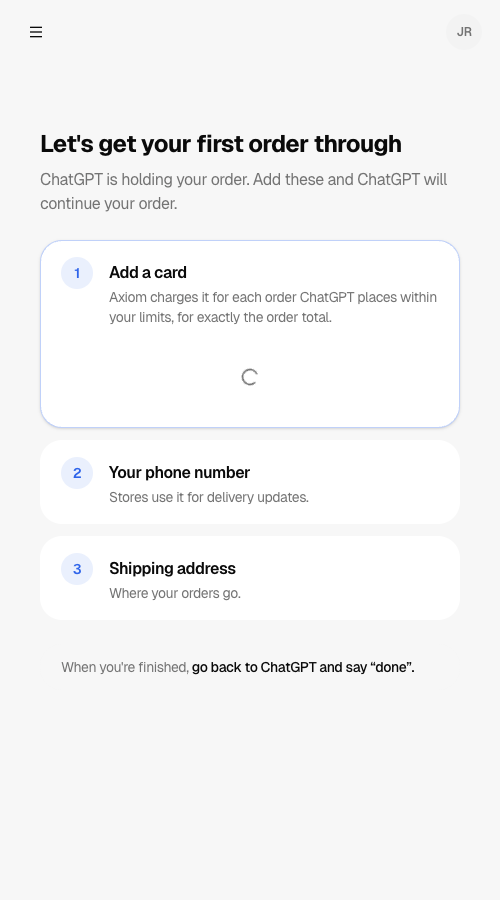
Before the last screen, Axiom asks whether you'd like to add a card and address now. Axiom charges the card for each order ChatGPT places within your limits, for exactly the order total. Stores use your phone number for delivery updates.
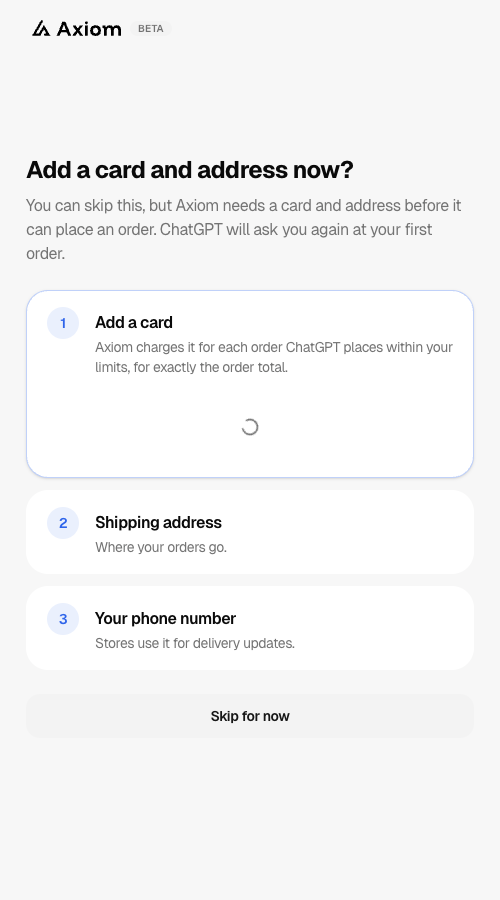
This step is optional. Choose Skip for now if you'd rather do it later. Axiom needs a card and address before it can place an order, so ChatGPT will ask you again at your first order and send you a link to app.useaxiom.ai/setup.
Step 4: Allow ChatGPT to order through Axiom
The last screen says what ChatGPT will be able to do:
- Place orders for you, within the limits you set
- Check how each order is going and share your receipts
- See your name and which card is on file (last 4 digits only)
ChatGPT never sees your full card number. Axiom pays each store with a one-time card made for that order.
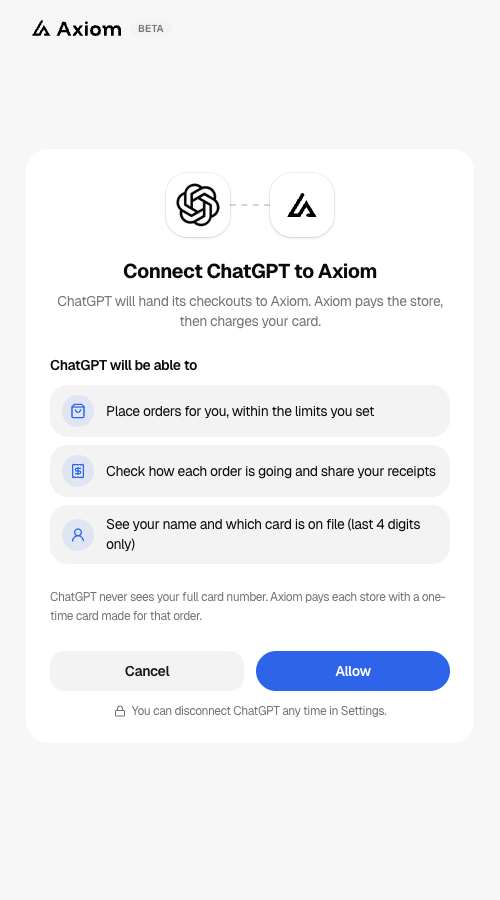
Choose Allow. You return to ChatGPT with Axiom connected. You can disconnect ChatGPT any time in Settings.
Step 5: Ask ChatGPT to buy something
Try something small: "Buy a bag of my usual coffee beans from my favorite roaster." ChatGPT hands the order to Axiom, which checks it against your limits, runs the checkout, and pays the store with a one-time card for exactly the order total. If the order needs your approval, you'll get a link to review it first, and every order shows up in your Axiom account with a receipt.
If you skipped the card step, ChatGPT holds your order and sends you a link to app.useaxiom.ai/setup. The page shows only what's missing. Add it, then go back to ChatGPT and say "done", and ChatGPT continues your order.
Ready for more? Browse our recipes for agent workflows like tracking a price drop or buying a gift on time.
Troubleshooting
- ChatGPT can't find Axiom. Make sure you're browsing the official plugin directory, or ask ChatGPT to use Axiom by name.
- The connect screen timed out. The page expires after a few minutes. Return to ChatGPT and choose Connect again. Your account is saved, so it only takes a moment.
- ChatGPT says Axiom needs a few things first. Your account is missing a card, phone number, or shipping address. ChatGPT holds the order for 24 hours and sends you a link to app.useaxiom.ai/setup. Add what's missing, go back to ChatGPT, and say "done". ChatGPT continues the order from there.
- An order was blocked. Check your limits in your Axiom account. Axiom blocks anything outside the limits you've set before it makes a card.
- Want to disconnect? Remove Axiom from ChatGPT's connected apps, or disconnect ChatGPT in your Axiom Settings. Either one ends its access right away.